A word about authentication
To authenticate with a REST API, you must provide proof of who you are with each request. This generally involves associating a token with the request that allows the application to know
Who we are
What we have the right to do on which resources
Authorization: Bearer <token>Token acquisition is generally done via the Web interface of the targeted service.
⚠️ Attention a token should never be shared 💣️
In most cases a token is associated with:
A set of accessible resources
Rights on these resources (consultation, modification, creation, deletion)
A validity period (token expiration date)
A solution to preserve application tokens is to use a .env file
A usable API is a documented API
So to conclude on APIs, it is a very simple way to offer an interface to remote resources and data. The only difficulty in this area is the definition and especially the documentation of APIs 📑. So if you set up a Web service with an API and you want to open your service to the outside, please take the time to document your API.
Fortunately, FastAPI does all the heavy lifting for us (more on this later)
We find online plenty of open APIs a link to have a non-exhaustive list

notably an example of useful API
https://
→ Illustration
Consider for example the case of a server generating lists of random numbers on demand. The API of such a server could be
/api/integerreturns a random integer/api/floatreturns a random floating number/api/integer?n=100returns 100 random integers...
For example
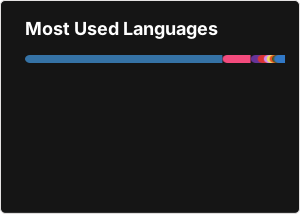
Here’s how to generate some statistics on Github directly in Markdown

A word about “No Code”
For a few years increasingly fashionable: No Code, Low Code
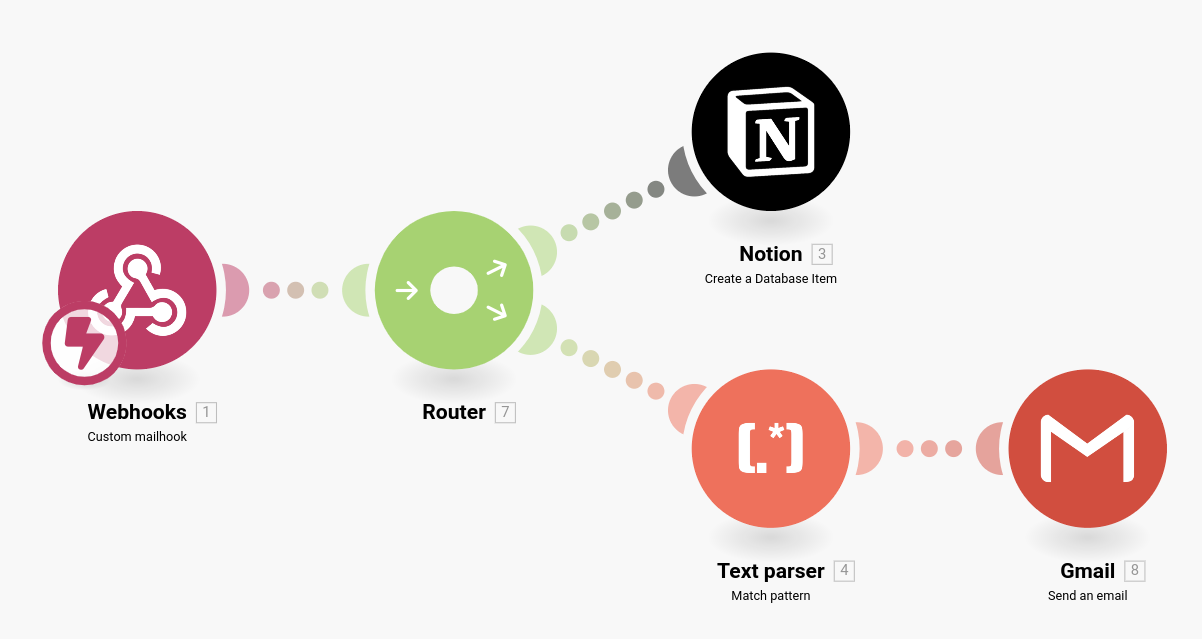
mail support request that causes a new entry in a database
and a mail notification if “urgent” in the mail subject 🤯
warning
Application 1
I have set up a minimalist server offering an API allowing:
List all users in the database
Update your status
Send a message to a user
Retrieve messages that were sent to me.
--
The idea is that you perform the following actions:
Using a Python 🐍 program:
make a
GETrequest to find what your user ID ismake a
PATCHrequest to update your statusmake
GET/POSTrequests to send messages between you
For the more playful, using the HTML/CSS/JS combo
Make the web client of this server 🤗!
Application 2: using the Notion API
The objective here is to set up a Python program allowing to modify the content of a Notion database. A skeleton is available here. The application in the end must be able to:
List all tasks in a database
Display the detail of a task defined by its ID
Change the status of a task
Add text to the task page
Step 1️⃣: create a database in Notion
you can duplicate this one
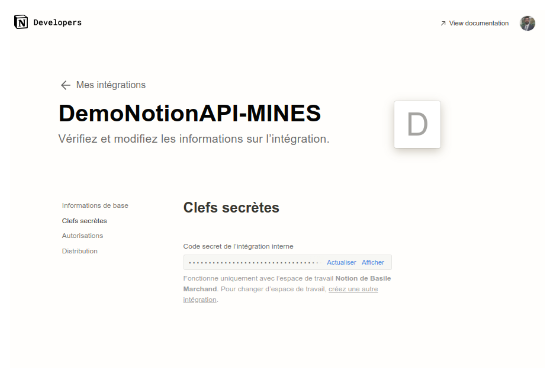
Step 2️⃣: create a Notion integration
Go to the site https://
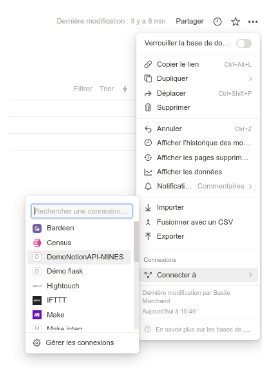
Step 3️⃣: add the database to the integration created previously
from the database page
Step 4️⃣: retrieve the database ID

Next week❕
We go to the dark side, and we see how to define our APIs