What are WebSockets?
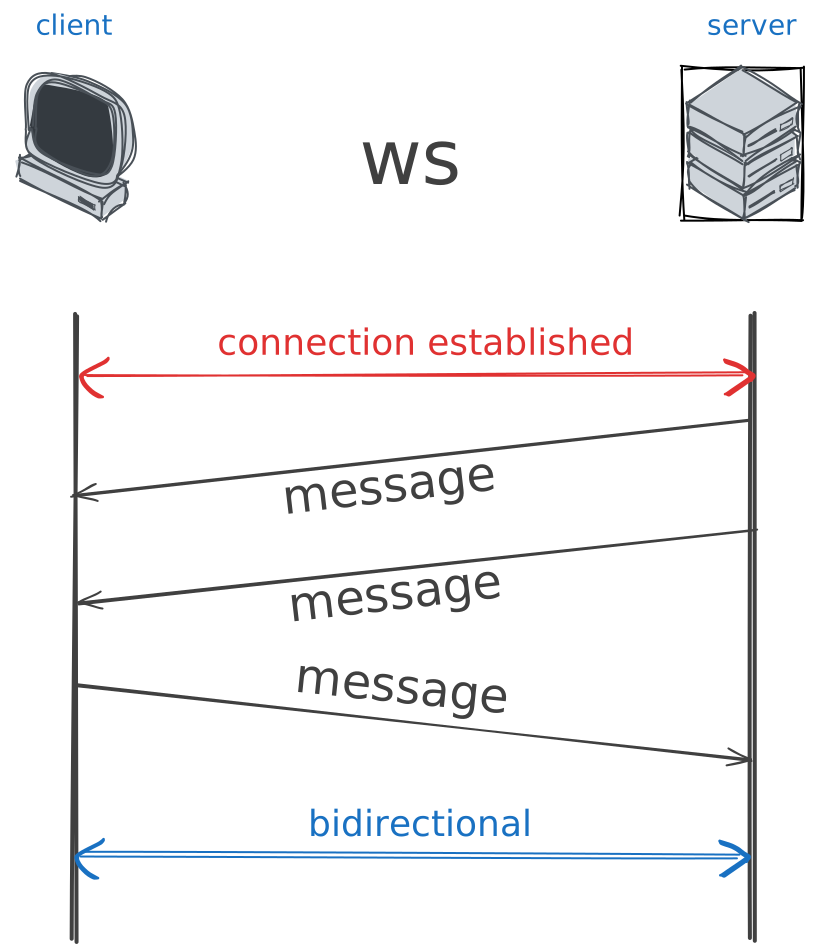
a new mechanism introduced circa 2011 to overcome the limitations of HTTP for real-time applications:
bidirectional connection between a client and the server
we talk about full-duplex connectionallows the server to push information to the client without the client having asked for anything 😲
→ a simple example
let’s start with app.py and its companion index.html[1]
what it does: the app shows a single page with a button and a status text.
When the button is clicked, it toggles the status between “ON” and “OFF”.
The interesting thing here is: the status is shared across all clients
connected to the server, so if one client toggles the status, all other clients
will see the updated status in real-time.
Try it out!
as you will have guessed, you need to
run the
app.pyserver (on port 8000, this is hard wired in the html)and then open multiple browser tabs on the html file (use vite if you intend on doing changes in the html)
→ builtin in FastAPI !
let’s take a look at the code, and for starters look at the app.py file
the interesting snippet is below, where we define a websocket endpoint at /ws, like so
1 2 3 4 5 6 7 8 9 10 11@app.websocket("/ws") async def websocket_endpoint(websocket: WebSocket): await manager.connect(websocket) try: while True: # Wait for a message from ANY client data = await websocket.receive_text() # Send that message out to EVERYONE await manager.broadcast(data) except WebSocketDisconnect: manager.disconnect(websocket)
what this code does is: whenever a client connects to the /ws endpoint, it is
added to the manager (whose job is simply to keep track of all connected
clients and send messages to them), and everytime any client sends a message,
the server receives it and broadcasts it to all connected clients
the gory details of how the ConnectionManager works are not exactly important,
just note how it leverages the Websocket class provided by FastAPI to manage
the connection with each client
→ and builtin in JS !
looking now at the JS code (in index.html), we can see how the client connects
to the websocket server and sends/receives messages
1 2 3 4 5 6 7 8 9 10 11 12 13 14 15 16 17 18 19 20 21 22<script> document.addEventListener("DOMContentLoaded", () => { // Connect to our FastAPI server const ws = new WebSocket("ws://localhost:8000/ws"); // When a message arrives from the server ws.onmessage = (event) => { const statusText = document.getElementById("statusText"); statusText.className = event.data === "on" ? "on" : "off"; console.log("Class set to", statusText.className); }; function toggle() { const current = document.getElementById("statusText").className; const nextStatus = current === "on" ? "off" : "on"; // Send the new status to the server ws.send(nextStatus); } document.getElementById("toggle").addEventListener("click", toggle); }); </script>
see also: SocketIO
websockets are a powerful tool for building real-time applications, and FastAPI makes it easy to implement them on the server side.
now, it is admittedly a rather low-level API, and you may want to look into higher-level libraries like SocketIO, which are built on top of websockets, but provide additional features like automatic reconnection, rooms, namespaces, etc.
these can be tedious to implement yourself, so using a library can save you a lot of time and effort; but this goes a bit beyond the scope of this course, so I encourage you to explore it on your own if you’re interested in building real-time applications!
the
app2.py/index2.htmlduo is a slightly modified version, that uses JSON instead of raw messages